🐳 How to Dockerize a Spring Boot Application?
Different environments, missing dependencies, and configuration issues can cause problems.
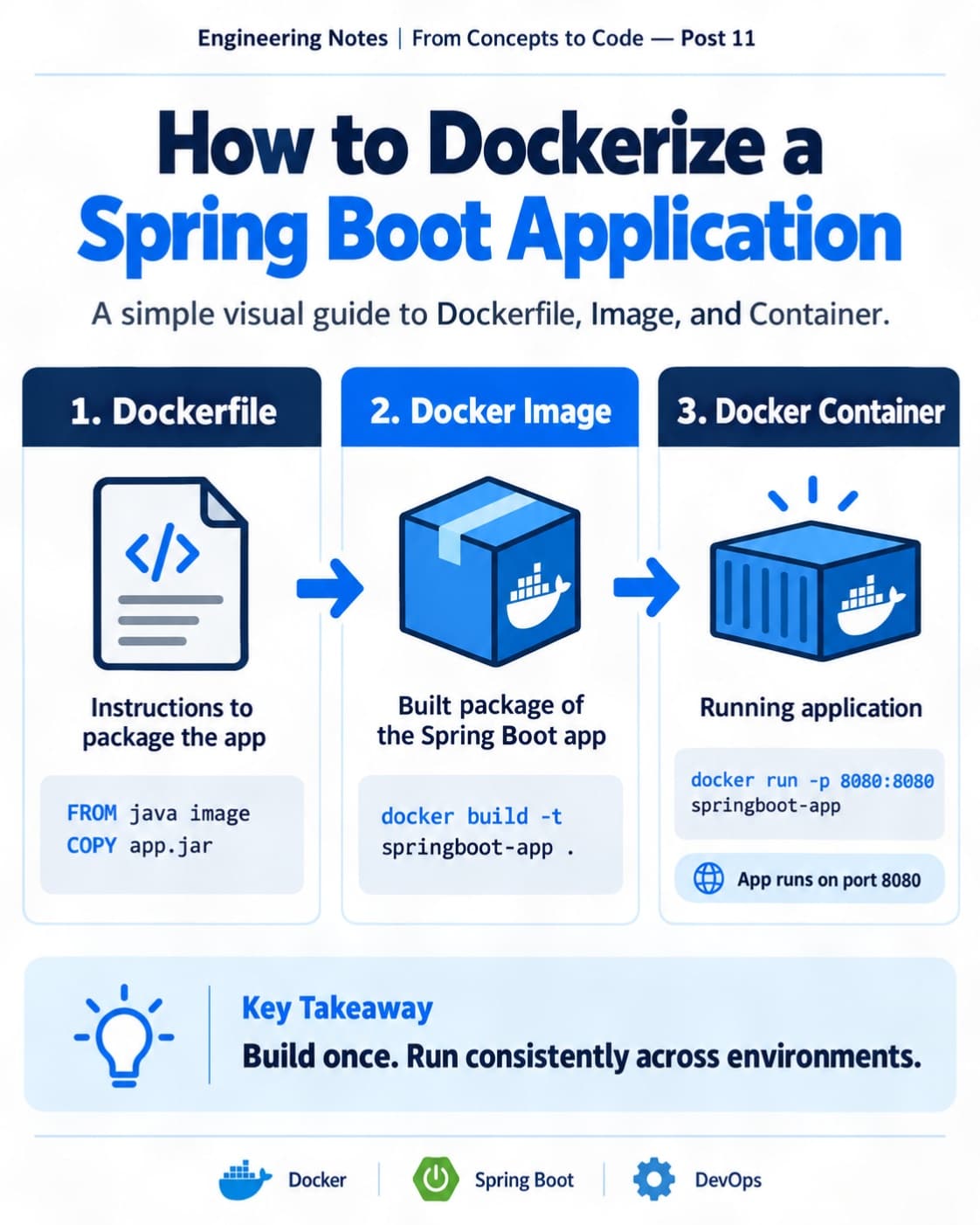
ᅠ 📘 Engineering Notes | From Concepts to Code — Post 11 ᅠ Have you ever built an application that works perfectly on your computer but fails on another machine? 🤔
Different environments, missing dependencies, and configuration issues can cause problems.
That's where Docker comes in!
Let's understand it with a Spring Boot example. 👇 ᅠ 1️⃣ What Is Docker? 🐳
Docker is a platform that packages applications and their dependencies into containers.
A container provides a consistent environment for running an application.
✅ Consistent environments ✅ Easier deployment ✅ Application isolation ✅ Portable across supported systems ᅠ 2️⃣ Docker Image vs Container 📦
These two concepts are important:
🔹 Docker Image A packaged template containing the application and everything needed to run it.
🔹 Docker Container A running instance of a Docker image.
💡 Image = Blueprint 💡 Container = Running application ᅠ 3️⃣ Creating a Dockerfile ⚙️
A Dockerfile contains instructions for building an image.
Example:
FROM eclipse-temurin:21-jre
WORKDIR /app
COPY target/app.jar app.jar
EXPOSE 8080
ENTRYPOINT ["java", "-jar", "app.jar"]
This packages a pre-built Spring Boot JAR with a Java runtime.
The JAR must be built before creating the image. ᅠ 4️⃣ Build and Run the Container 🚀
Build the Docker image:
docker build -t springboot-app .
Run the container:
docker run -p 8080:8080 springboot-app
Now the application can be accessed through:
http://localhost:8080
Assuming the application starts successfully on port 8080. ᅠ 5️⃣ Why Use Docker Compose? 🔗
Real applications often require multiple services.
For example:
☕ Spring Boot — Backend API 🐘 PostgreSQL — Database ⚡ Redis — Caching
Docker Compose helps define and run these services together using a YAML configuration.
Example command:
docker compose up -d ᅠ 6️⃣ Docker vs Virtual Machine 🖥️
🔹 Docker Container Shares the host kernel and isolates application processes.
🔹 Virtual Machine Runs a separate guest operating system using virtualization.
Containers are generally more lightweight than full virtual machines. ᅠ 💡 My Key Takeaway
Docker isn't just about running applications inside containers.
It helps developers create consistent environments, simplify deployments, and manage dependencies.
Understanding Docker is a valuable skill when building modern backend applications. ᅠ 💬 Do you prefer running applications locally or using Docker during development? ᅠ #Docker #SpringBoot #SoftwareEngineering #DevOps #BackendDevelopment