Why Should We Use Debouncing in React?
Every time a user types a letter, the application sends an API request to search for products.
ᅠ 📘 Engineering Notes | From Concepts to Code — Post 16 ᅠ Imagine you're building an e-commerce application with a search bar.
Every time a user types a letter, the application sends an API request to search for products.
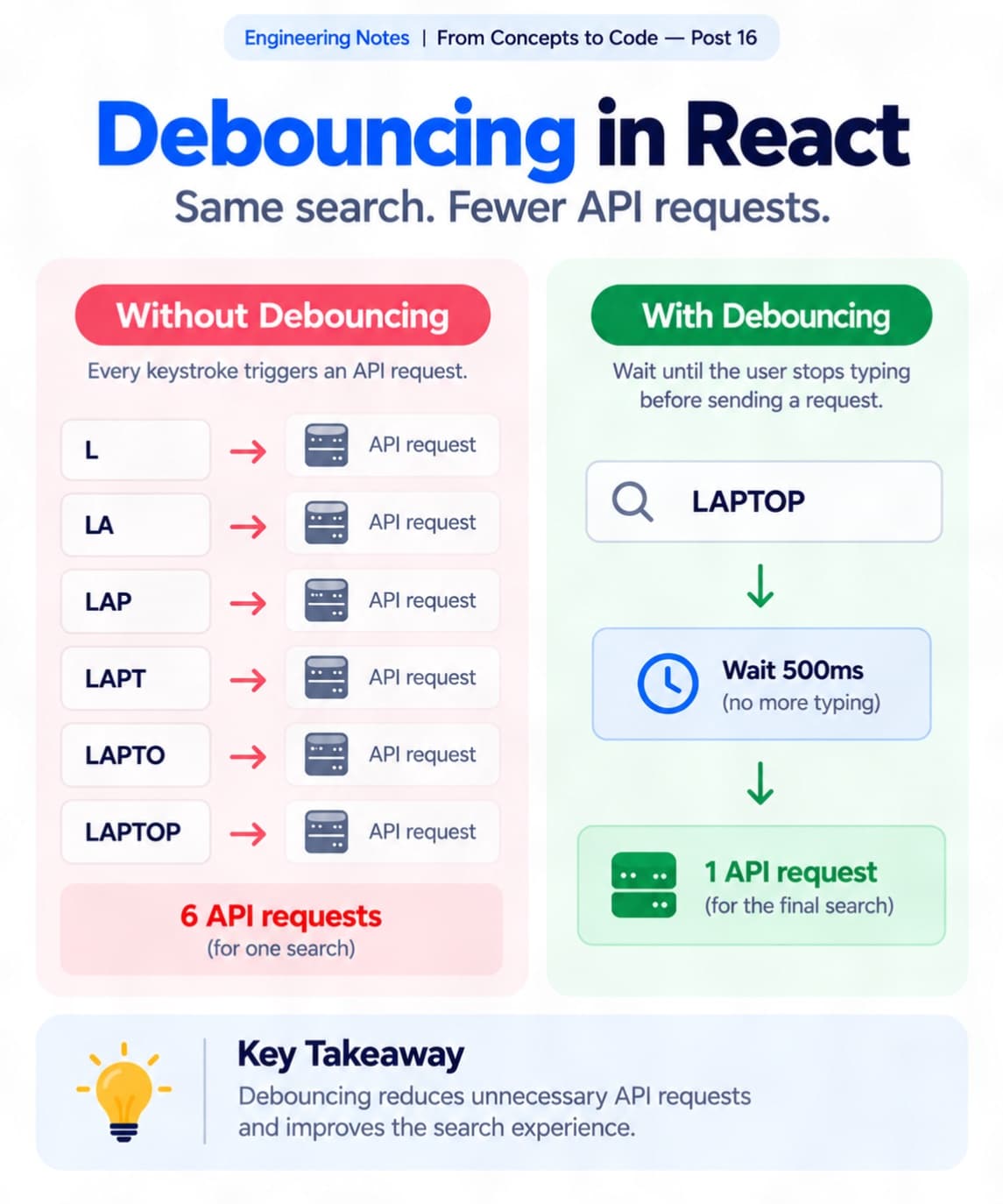
If someone types "laptop", that's potentially six API requests for a single search.
It works, but is it really necessary?
This is where debouncing becomes useful. ᅠ 1️⃣ What Is Debouncing?
Debouncing is a technique that delays an operation until a certain amount of time has passed since the last event.
Instead of making an API request after every keystroke, we wait until the user stops typing for a short period.
For example, with a 500ms delay:
Without Debouncing: L → LA → LAP → LAPT → LAPTO → LAPTOP
6 potential API requests.
With Debouncing: User types "LAPTOP" → Wait 500ms → Send request
Just 1 API request if the user types continuously. ᅠ 2️⃣ Implementing It in React
We can implement a simple debounce using useEffect and setTimeout.
Example:
const [search, setSearch] = useState(""); const [debouncedSearch, setDebouncedSearch] = useState("");
useEffect(() => { const timer = setTimeout(() => { setDebouncedSearch(search); }, 500);
return () => clearTimeout(timer); }, [search]);
Here, whenever the search value changes, the previous timer is cleared.
Only after 500ms without another change will debouncedSearch update.
We can then use debouncedSearch to trigger our search API request. ᅠ 3️⃣ Why Does It Matter?
Debouncing can help us:
• Reduce unnecessary API requests • Lower backend processing overhead • Avoid repeated expensive operations • Improve the search experience
It's particularly useful for search suggestions, autocomplete, and filtering large datasets. ᅠ 4️⃣ One Thing to Remember
Debouncing doesn't automatically handle every API-related issue.
For real applications, we should also consider cancelling outdated requests or preventing older responses from replacing newer results. ᅠ My Key Takeaway
Small improvements can make a noticeable difference in how an application performs.
Debouncing is a simple technique, but knowing when to use it can help us build more efficient and user-friendly React applications.
Sometimes, better performance isn't about doing things faster. It's about avoiding unnecessary work. ᅠ Have you used debouncing in a React project? I'd be interested to hear your approach. ᅠ #ReactJS #SoftwareEngineering #FrontendDevelopment #WebPerformance #JavaScript